Voucher
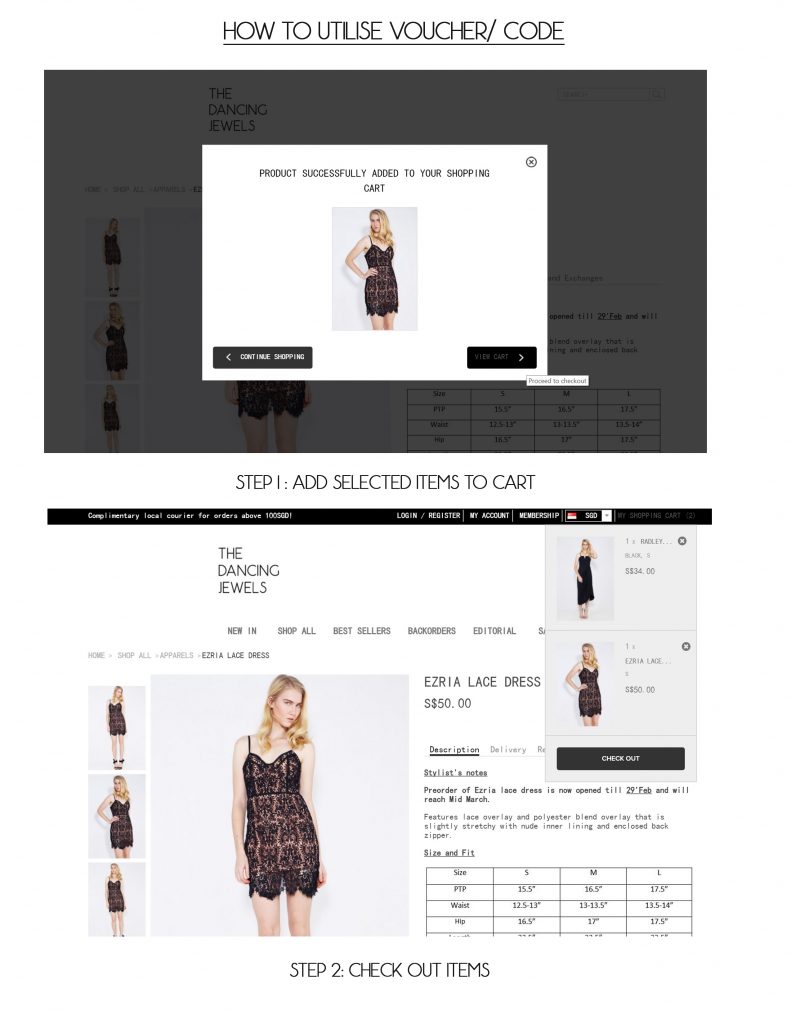
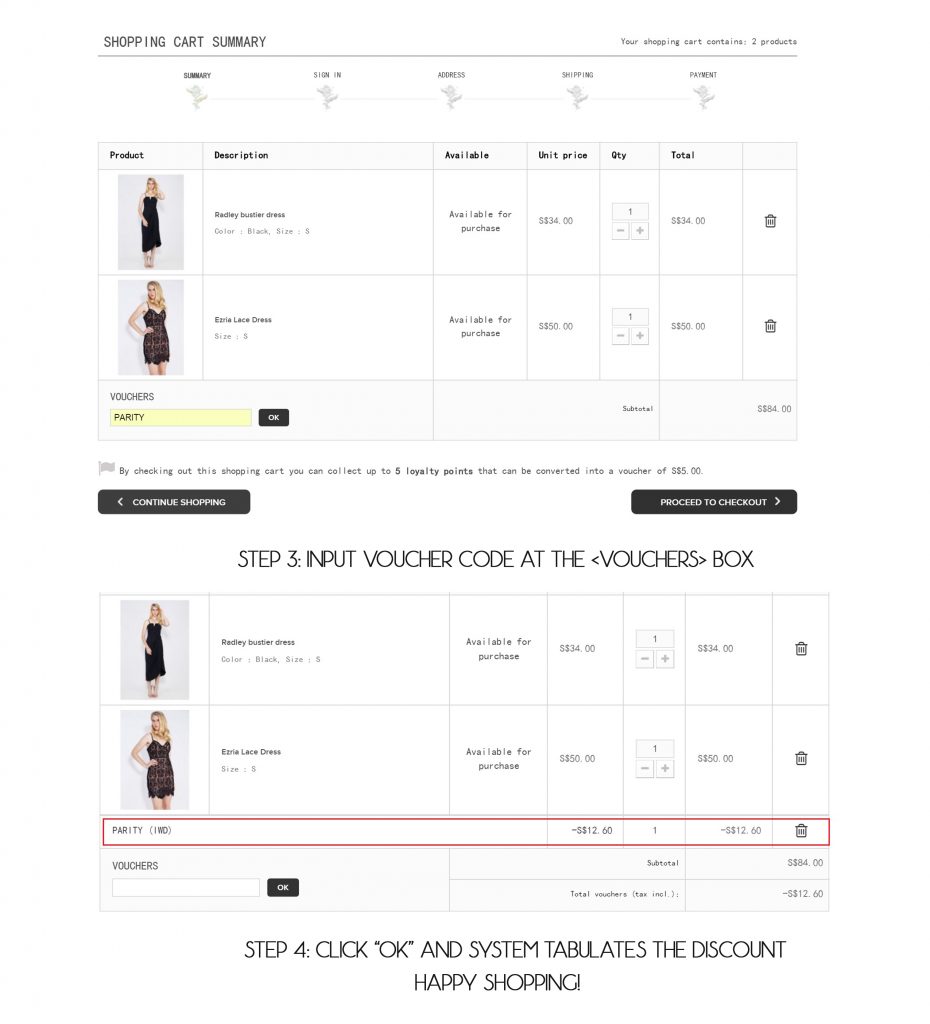
How to use voucher code
1. open cart page
You can click on CART at the right top of the site to open the cart page.
2. Fill the coupon code column
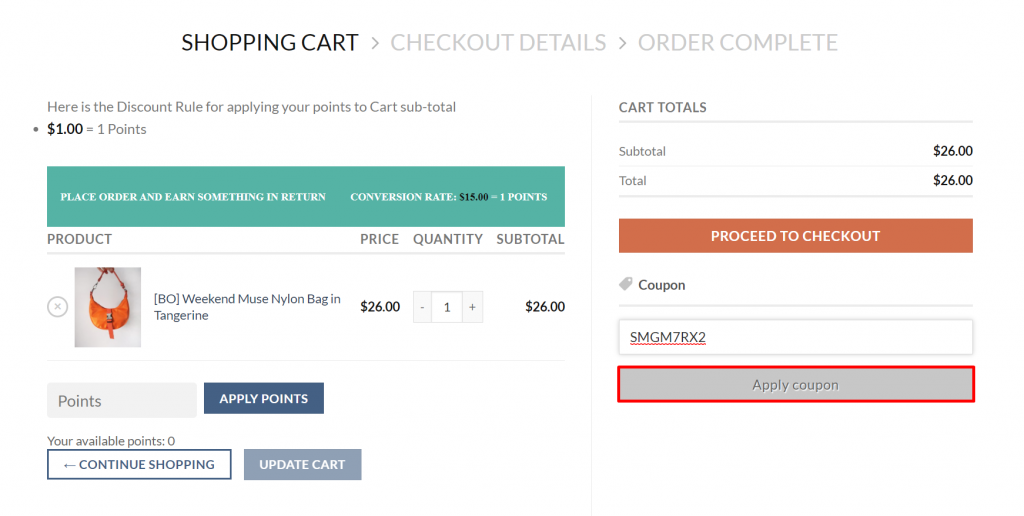
Fill the coupon code column with your coupon code if any.
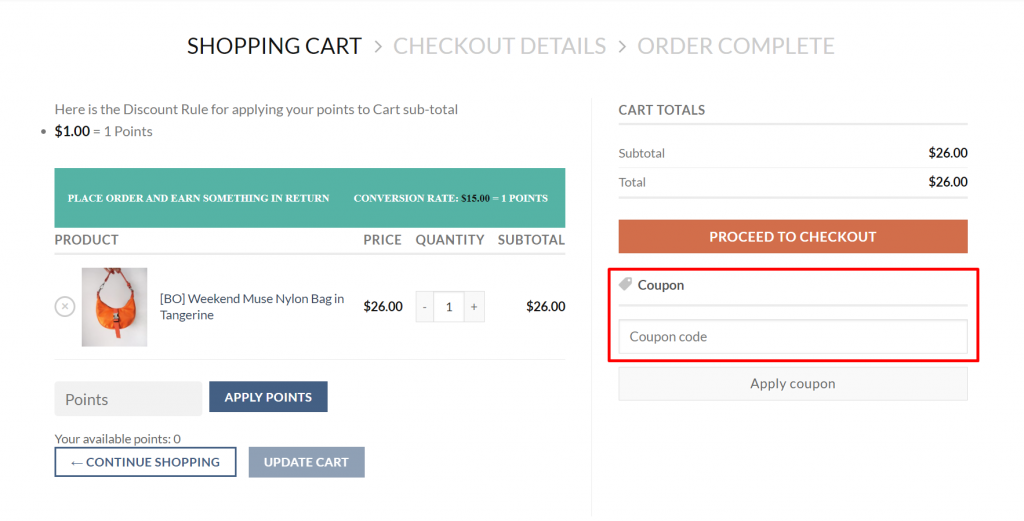
3. click apply coupon
After filling the column, click Apply Coupon.
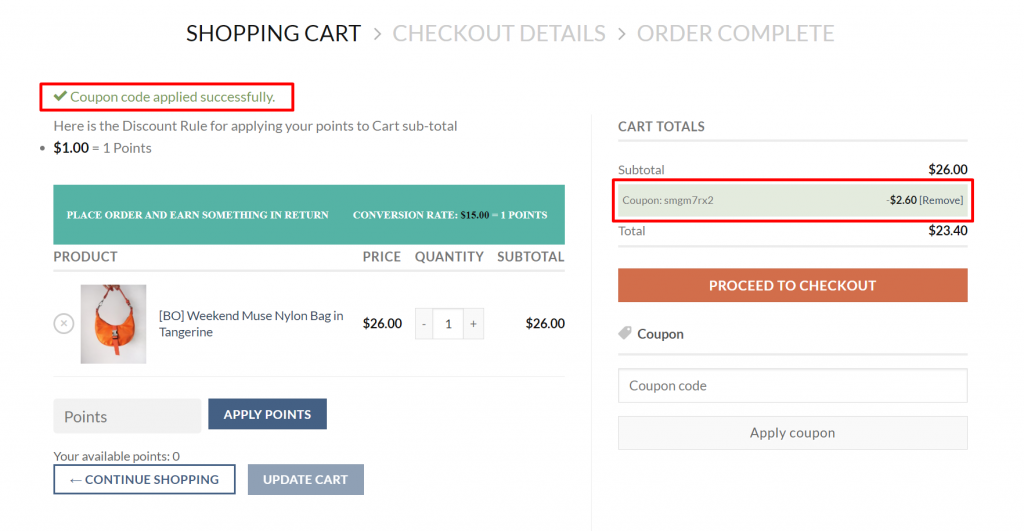
4. if the coupon is successfully applied…
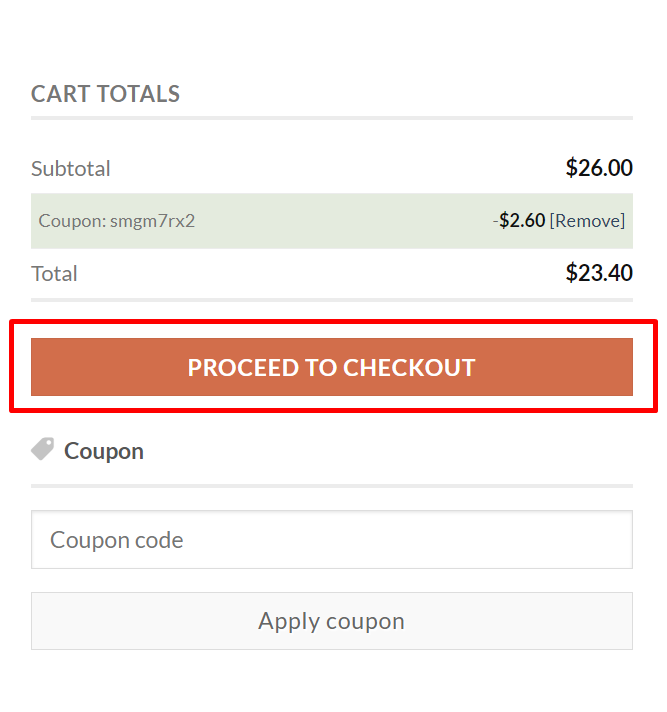
the coupon can be used, and will appear as marked in the red box as below
5. Click Proceed to checkout button
Congratulation your voucher applied! enjoy the discount!